
Windows Utilities

| Windows Utilities | |
PhotoRenamer 4.1 |
|
Tell your Friends about PhotoRenamer 4.1 PhotoRenamer 4.1 Menu Fast Track Help Video: Quick Tour What's New in PhotoRenamer 4.1 Feedback and Awards of PhotoRenamer 4.1 Download Counters of PhotoRenamer
Safe Use of PhotoRenamer 4.1 TGMDev PhotoRenamer History Renaming Mask Fast Track Renaming Photos with PhotoRenamer 4.1 Mask Format Specifications Edition of Renaming Masks of PhotoRenamer 4.1 Handling of Duplicates File Extension Files Selection Fast Track Files Selection Help Video Special Specifications Fast Track Keywords Specifications Keyboard Entries Specification Picture Counter Specifications Meta Data Exif Meta Data IPTC Meta Data User Interface Fast Track Ribbon Category 'Home' Ribbon Category 'Photo Rename' Ribbon Category 'Details' Ribbon Category 'Options' Ribbon Category 'View' Ribbon Category 'Help' Registering, Feedback and Support Registering PhotoRenamer 4.1 Feedback about PhotoRenamer 4.1 Support of PhotoRenamer 4.1
|
Fast Track to PhotoRenamer 4.1 Renaming Masks The renaming masks of PhotoRenamer 4.1 are strings of characters that contains format specifications that will define how the original file name will be renamed. Format specifications always start with the character % (Percent) followed by either a single character or a character and a length specifier. The 52 available Format specifications are gathered in 7 different groups:
By default, PhotoRenamer 4.1 uses the mask %Y-%m-%d %H-%M-%S, simplifed as %DT3. Such a simple mask is sufficient to start renaming photos. Note that, by using this mask, the application renames the photos using the Exif MetaData if such data are available. Please take the time to read the complete format specifications to build masks that fit your needs. To fast track photo renaming, simply add a free text after the default mask specification and click on the Ribbon button labeled 'Rename All Files' 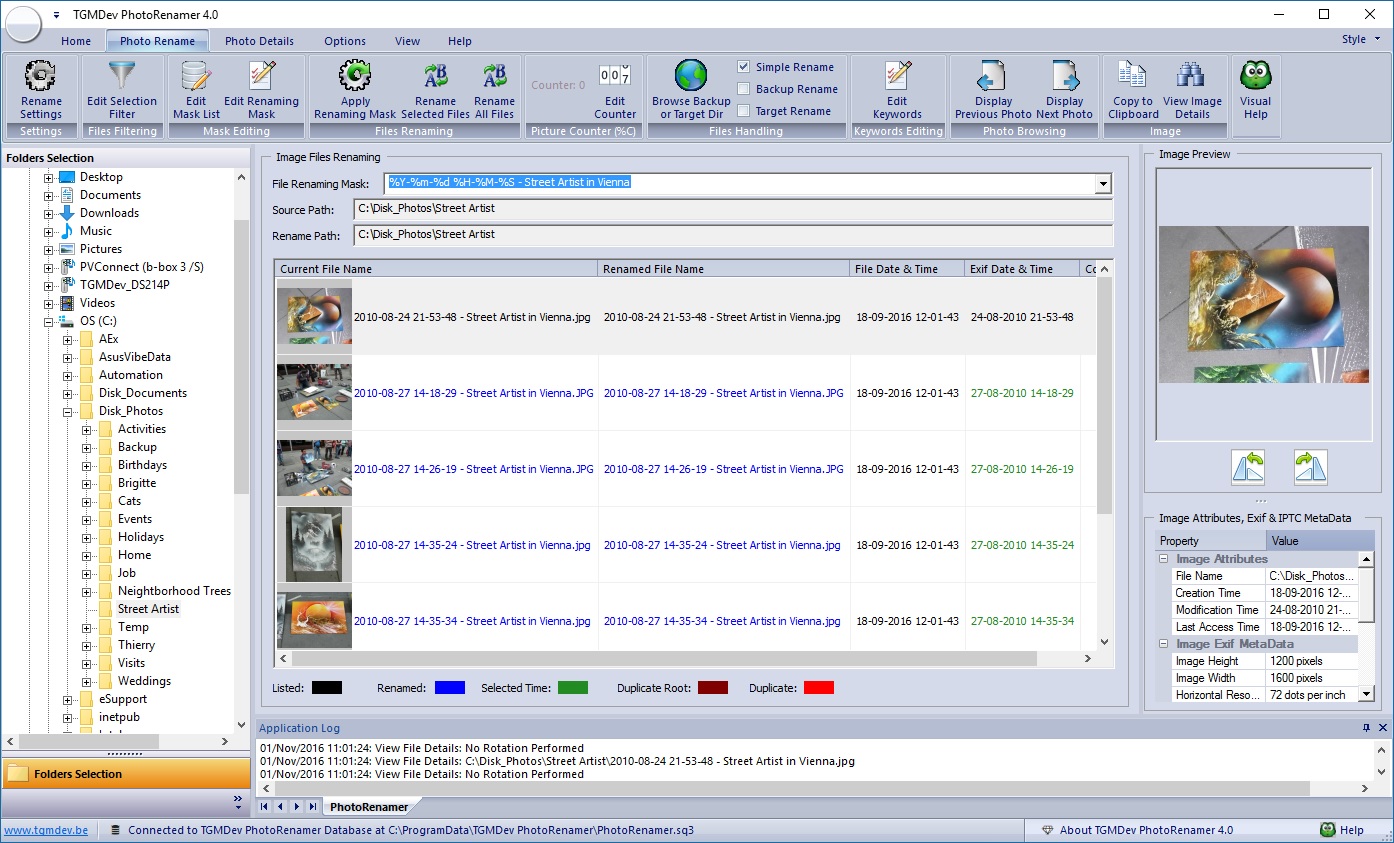
Important Reminder: A Windows File can't contain any of the following characters: \/:*?\"<>|. The same restrictions apply to the renaming masks !!! |
|||||||||||||||||||||||||||||||||||||||||||||||||||||||||||||||