
Windows Utilities

| Windows Utilities | |
PhotoRenamer 4.1 |
|
Tell your Friends about PhotoRenamer 4.1 PhotoRenamer 4.1 Menu Fast Track Help Video: Quick Tour What's New in PhotoRenamer 4.1 Feedback and Awards of PhotoRenamer 4.1 Download Counters of PhotoRenamer
Safe Use of PhotoRenamer 4.1 TGMDev PhotoRenamer History Renaming Mask Fast Track Renaming Photos with PhotoRenamer 4.1 Mask Format Specifications Edition of Renaming Masks of PhotoRenamer 4.1 Handling of Duplicates File Extension Files Selection Fast Track Files Selection Help Video Special Specifications Fast Track Keywords Specifications Keyboard Entries Specification Picture Counter Specifications Meta Data Exif Meta Data IPTC Meta Data User Interface Fast Track Ribbon Category 'Home' Ribbon Category 'Photo Rename' Ribbon Category 'Details' Ribbon Category 'Options' Ribbon Category 'View' Ribbon Category 'Help' Registering, Feedback and Support Registering PhotoRenamer 4.1 Feedback about PhotoRenamer 4.1 Support of PhotoRenamer 4.1
|
PhotoRenamer 4.1 Ribbon 'Details' The Details Category of the PhotoRenamer 4.1 ribbon displays the photo (automatically rotated if configured likewise) and provides lot of information about the selected photo. 
A. Exif and IPTC MetaData The Right pane of the Details View shows the available metadata:
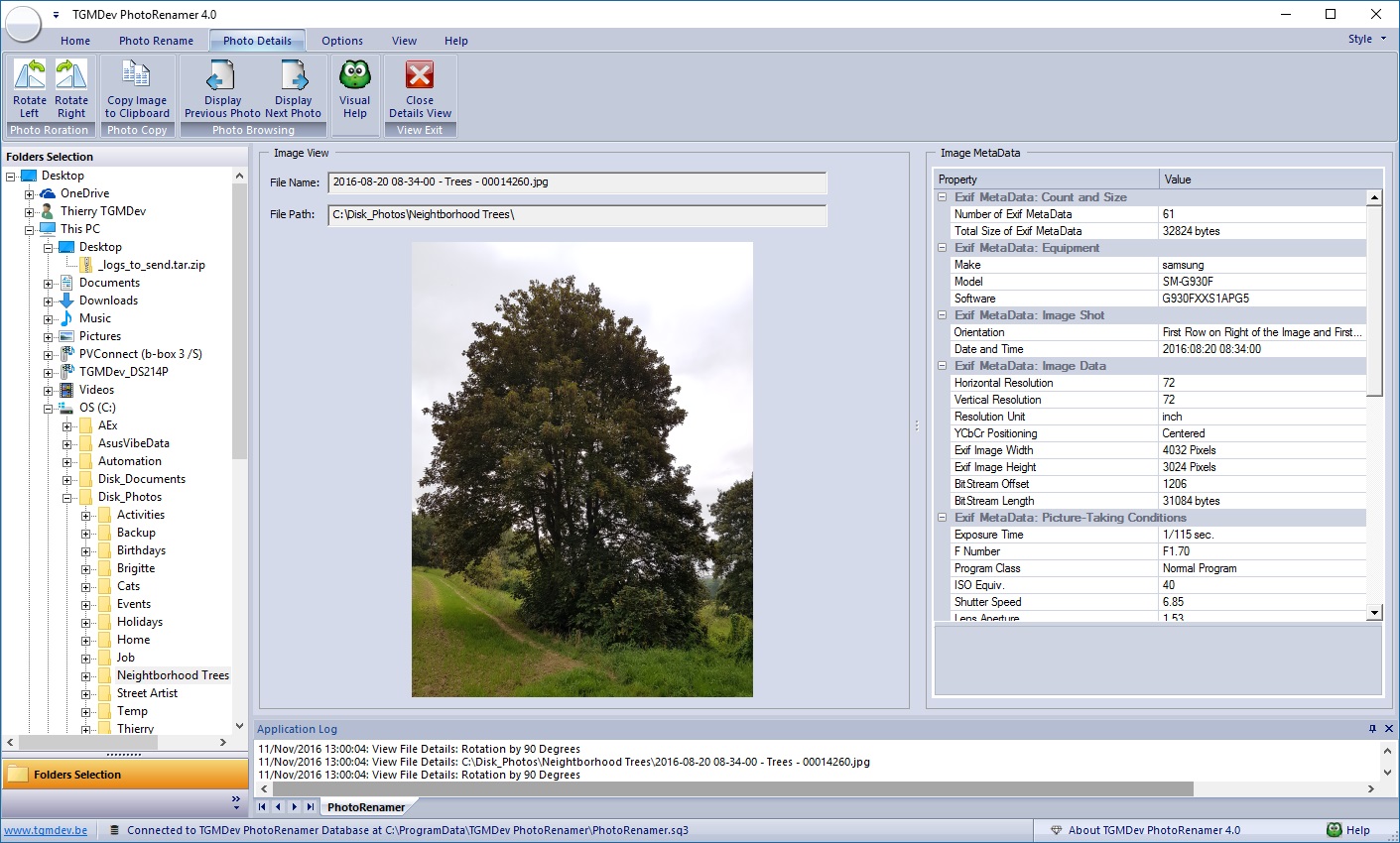
B. Rotate Left and Rotate Right These two buttons perform a basic rotation of the selected photo. C. Copy to Clipboard Click on this button to copy the current photo into the Windows clipboard to make it available for any clipboard-compliant applications. D. Browsing Photos These two buttons perform a basic browsing in the files listed in the main view. E. Visual Help The standard Video Help dialog box is started and explains the features of the Details Category of the PhotoRenamer 4.1 ribbon. F. Close Details View Click on this button to close the view and return to the main PhotoRenamer 4.1 view. |
|||||||||||||||||||||||||||||||||||||||